Scanned contracts and photo-heavy PDFs balloon past email limits fast. iFiles re-renders the document and downsamples its images on your device — pick a quality level, see the new size before you save, and keep the original untouched.
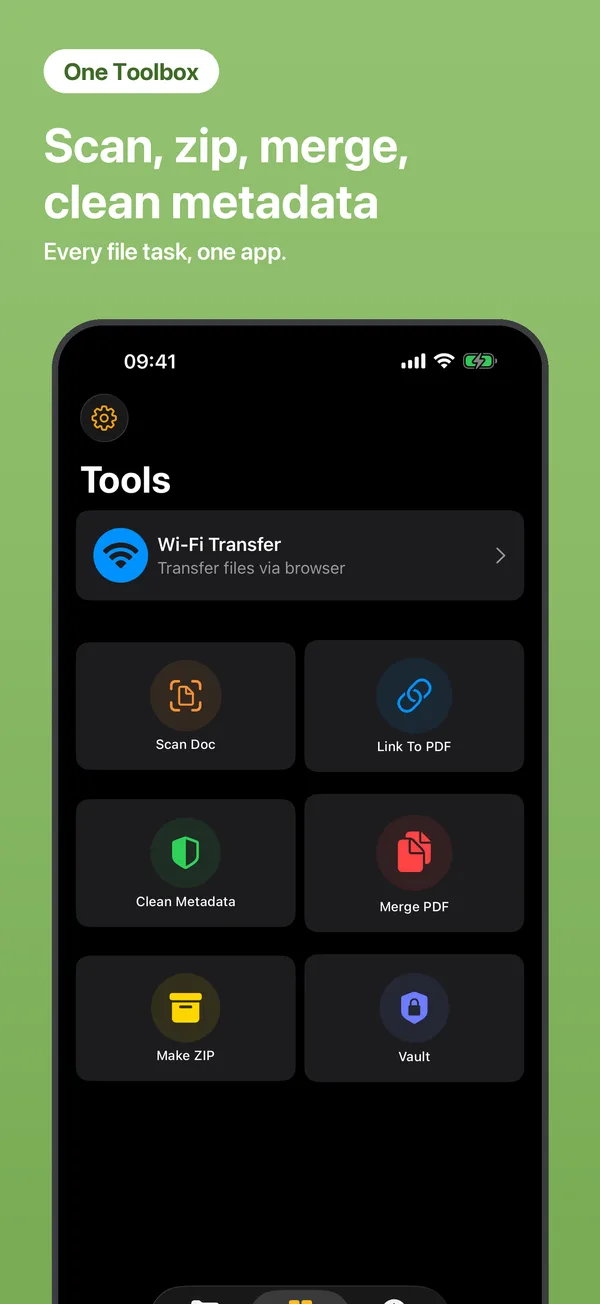
Open Tools → Compress PDF and choose the oversized PDF.
Pick a compression level — see the estimated size before committing.
Save the smaller copy next to the original, ready to email or message.
It depends on the content — image-heavy and scanned PDFs shrink the most, often to a fraction of the original size. Text-only PDFs are already small and compress less.
No. The PDF is re-rendered entirely on your iPhone — nothing is uploaded, and it works offline.
No. Compression always saves a new copy; the original file stays untouched.
 iFiles